


Are app companies asking for too much access to files on your phone?
Could your smartphone potentially be a data leak?
When thinking about online privacy and security, many people don’t consider the one item they have with them every single day… and frankly, use hundreds of times per day… their cell phone.
We have become increasingly dependent on our mobile devices for much more than making calls.
Let’s face it, these days we use them to communicate with friends and loved ones via text, instant messenger, or any other host of available apps… we read the news on our phones… we use them to play games… we use them to track our exercise and sleep… we use them to do our banking… and let’s not forget we even use our phones to find romantic partners.
Did we forget anything?
Of course we did… you can use them for almost anything today.
For those of us of a ‘certain’ age… we remember our middle & high school math teachers making us work out math homework on a piece of paper because “you’re not always going to have a calculator with you.”
If they only knew…
Before we dive into this often overlooked, but extremely important piece of equipment, it may be a good idea to read all of the previous information in our online privacy/security series.
If you haven’t already seen all this information, here’s what you’ve missed: Online Security 101, Data Breaches Put your Personal Info At Risk, Your Options Once Personal Data Is Compromised, Credit Monitoring & ID Theft Protection, and Data Brokers.
Your Phone’s Security Weaknesses

As I mentioned, until recently you may have put very little thought into the security of your mobile device.
Because of that, the sky is the limit as to what personal data you may inadvertently be sharing every time you download another free game or app-based tool.
This laissez-faire attitude towards mobile security is increasing the chances that your personal data… and for those who use their phones for work, your corporate data, are likely to be breached.
How is this happening?
That’s a very interesting question and one which is certainly multifaceted.
But suffice it to say that the most likely cause for data breaches on your mobile device is probably not the Operating System (O/S) or even a virus or malware.
The most likely culprits are the apps that you download on your phone.
On its face, that may seem completely counter-intuitive… after all, we usually download these apps from places like Google & Apple… you can trust them… right?
Well… whether or not we can trust companies like Google and Apple is a bit beyond the scope of this article… but realize that these devices are ALWAYS collecting data and listening.
Shocking Truth About App Permissions
If you’ve ever downloaded an app on your phone, you get the pop-up that says, “this device needs access to …” then you see a whole list of your mobile device’s files and functions.
Many times, these permissions don’t even make sense for the app you’re downloading… like, permission to your contacts for a flashlight app.
This isn’t just a feeling… it’s a documented reality.
A comprehensive study of the Android ecosystem found that a staggering 62% of apps request one or more “dangerous” permissions that could affect user privacy or core phone functions.
Another analysis of 50 popular apps showed some requesting as many as 29 different permissions.
These aren’t just minor requests…
The most common “dangerous” permissions include the ability to read and modify your external storage (requested by 77% and 73% of apps, respectively), access to your contacts, and the ability to post notifications, which has been exploited for surveillance.
Because of this, it is a good idea to look for apps that have limited permissions necessary to function.
Also, many apps will allow you to adjust permissions… but what they don’t tell you is when an app update is loaded to your phone, it will often reset permissions to default settings… and, just like that, you have lost control of your privacy.
Make it a habit to check your app permissions on at least a monthly basis.
The Rise of Stealthy Malware

Here’s where the threat gets even more sinister… the original problem was apps that were simply “data-hungry.”
But research shows that malicious apps are now reducing their permission requests to avoid detection.
They are becoming stealthier… this means you can’t just rely on the number of permissions as a red flag.
The threat has evolved from overt data collection to more subtle, hidden malicious behavior.
An app might only request one or two simple permissions but use them to access other sensitive data through a loophole or by colluding with another app.
This makes the need for dedicated mobile security software and common-sense vetting even more critical than ever before.
Other Security Vulnerabilities
While the most likely means for your mobile device to be compromised is via the apps downloaded to it…that is certainly not the only way to put your phone at risk.
One of the other most common opportunities for security breaches to your device stems from user error.
Right now you’re probably saying… what do you mean by user error?
I know what I’m doing when I use my phone.
I’m sure that is true, but we are not necessarily talking about the actual ‘operation’ of your phone.
Just as you control most of the apps that are loaded on your mobile device, you are also in control of what you do with your phone.
Believe it or not, one of the most common ways a phone gets compromised is because the user leaves the phone unlocked.
That’s right… not locking your phone when you are done using it allows for prying eyes to have easy access to your personal info.
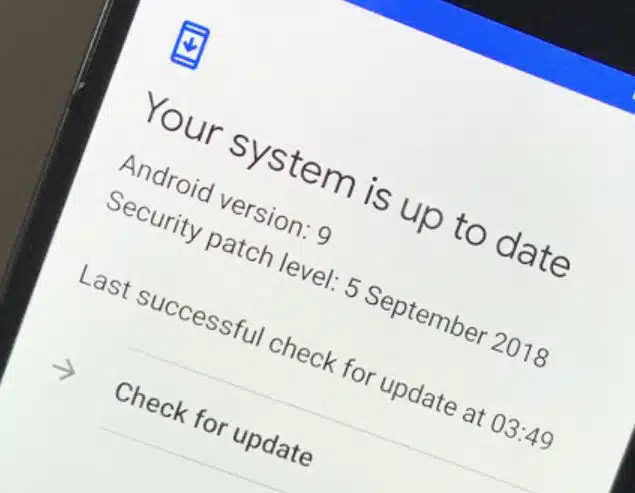
Another item within your control is ensuring that the operating system for your mobile device is up to date.
Mobile Device Security Tips
So what can you do to keep your phone & personal information safe?
There are several things you can do to keep your phone secure… let’s review them now…
* Always Lock Your Phone: As we just mentioned, this one thing can save you from having prying eyes looking at your contacts and other personal information on your phone.
Using Fingerprint or Facial Recognition is great, but it’s a good idea to have a PIN or Pattern as a backup.
* Keep Your Phone’s O/S Up-To-Date: By having the most recent version of your phone’s operating system installed and active on your device, you ensure that all known vulnerabilities are being defended against.
* Enable Built-in Protection: Make sure you have enabled Google Play Protect (or the iOS equivalent) by name.
It’s a built-in, effective first line of defense that scans your apps for malware and other threats.
* Vet Your Apps: Before you download, take two minutes to research the developer and read the privacy policy.
Be wary of vague policies that don’t clearly state with whom data is shared^2^. If it seems sketchy, find an alternative.
* Consider Using A Dedicated Mobile Device: This can become difficult to pull off initially, but with some practice, you can become used to using different mobile devices for different things.
For example, using a dedicated phone for company work or cryptocurrency wallets… by doing this, you are creating an “air gap” for your most valuable assets.
You can further control app loading and usage on each device and mitigate data breaches.
Use Common Sense
Can this data on your phone potentially be used to hurt you or your company if it were to fall into the wrong hands?
Of course it can!
When you load an app on your phone and you see all of the requested permissions, go with your gut… if it seems like it’s asking for way too many permissions… let that be a RED FLAG!
Look for another app that needs less invasive permissions.
Either way, by giving apps only the most necessary of permissions, ensuring that your O/S is current, and locking your phone when you’re not using it, you can eliminate many breaches of your personal data.
One final note… even if the company creating an app doesn’t have any malicious intent, the manner in which the data collected about you is stored can be done in a very unsafe way.
By taking a proactive approach to your cell phone security, you can mitigate many of these potential vulnerabilities.

