

The online privacy and online security information in this series just seems to be getting more and more important.
I continue to stack this important information to help show you how you can add layer after layer of online protection.
So, if you have not already read my previous online privacy/online security info, here are the links so you can go back and get informed: Online Security 101, Data Breaches Put your Personal Info At Risk, Your Options Once Personal Data Is Compromised, Credit Monitoring & ID Theft Protection, Data Brokers – Who Is Collecting Your Data & Why, Think Online Security With Your Cell Phone, Security Keys – The Future of Online Security and Protecting Your PC.
The Modern Threat: Credential Stuffing
One thing is for certain… the online threat landscape is constantly changing & evolving…
I remember when the picture in my mind of someone hacking an online account that they decided to target was someone sitting at a computer typing in names of family members or favorite foods.
In 2026… nothing could be further from the truth…
Most hackers are interested in volume & brute force… they use programs to do their hacking for them that can try thousands of different possible password configurations a minute.
But in 2026, the most common and dangerous attack today is called credential stuffing.
I know… what is that?
Well… remember all of those data breaches we talked about in those previous articles… now they come back to haunt us…
Hackers take the billions of usernames and passwords leaked from massive data breaches… and they use automated bots to try them across thousands of other popular services… think Google… Netflix… Instagram…
So, If you used the same email and password for your grocery store account as you do for your email… a breach at the grocery store gives a hacker the keys to your entire digital life.
But if it’s so dangerous to reuse a password… then why do we do it?
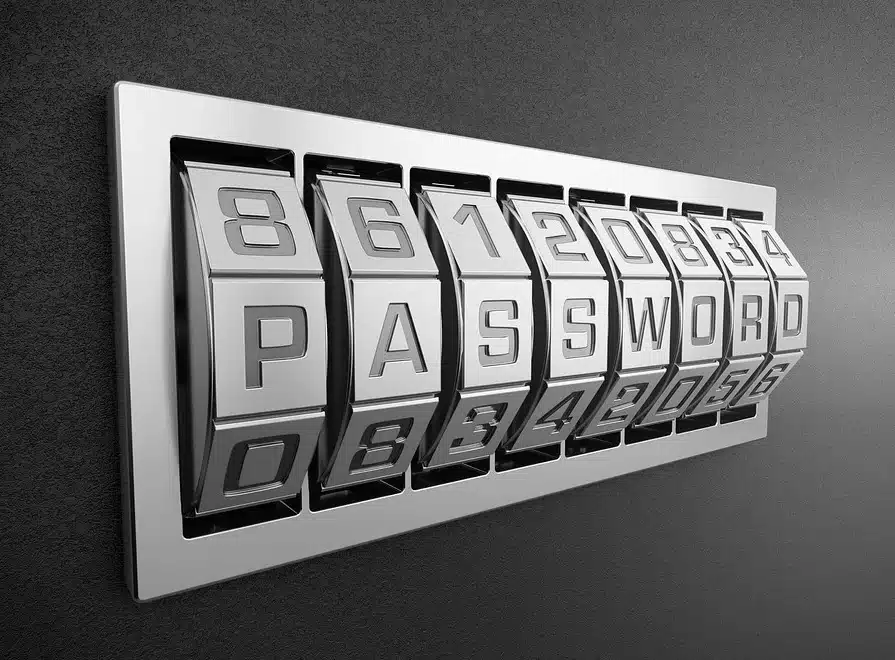
The Wrong Way to Create a Password
Let’s be honest… it’s impossible to remember our password for each and every website we access these days…
So our solution is to reuse old passwords…
Call it being lazy if you want… but it’s much more than that… we live so much of our lives online, there are just too many…
So, most of us, when tasked with creating a password, will want to use a word or name that means something to us.
While it is true that this might be slightly easier to remember… a hacker’s password guessing program can guess thousands of words a minute.
At the end of the day… no matter how obscure the word… if it’s in the dictionary… you don’t want it as your password.
Chances are you’ve also run into a situation where a service wants your password to be at least 8 characters… with upper and lowercase letters..,. a number… and a special character…
We all think we’re clever… so what do we do?
At this point, most people simply make the first letter uppercase… then add a couple of numbers and symbols to the end like: “Password66!”.
But maybe you’re more creative… so you might even replace letters with numbers like: “P4$$word66”.
The problem with this is that hackers’ programs… especially with the advent of AI… are accounting for these same substitutions.
The Right Way: Use a Password Manager
So what are our options?
Ultimately, the best way to avoid these common pitfalls is to use a unique… randomly generated password for every account… the longer and more complex, the better.
But, as I queried earlier… who can remember dozens of unique, 20-character passwords?
This is where a password manager becomes essential.

A password manager is an encrypted program that securely stores all of your passwords.
How does that help you… afterall, you need a password to access the manger… who wants another password?
You only have to remember one single “master password” to unlock the vault..,. and the manager can generate and fill in impossibly complex passwords for you.
Now I realize many of the people reading this may be 55+ and this whole “tech stuff” can be a bit much… (hey… no judgement… I’m there with you)
So, for those who prefer a non-digital method… a dedicated notebook stored in a secure location is an option…
But understand the risks to this method… it can be lost, stolen, or even destroyed.
This is why for most people, a digital password manager is far more secure and convenient.
I personally use 2 different password managers… each for different things…
They are NordPass [LINK – NORDPASS] & Proton Pass.
Both are good and get the job done… they just work slightly differently…
So, check them both out and choose the one that works best for your particular situation.
Securing Your Crypto: A Different Level of Security
When it comes to cryptocurrency… the stakes are infinitely higher… the rules change.
While a password manager is the right tool for your email and social media, it is NOT the place to store your crypto wallet seed phrase or private keys.
These are the master keys to your funds [LINK – SEED PHRASE], and storing them in a digital vault… even an encrypted one… creates a target.
The mantra in crypto is “not your keys, not your coins.”
The ultimate security for your assets is a hardware wallet (like a Tangem or Trezor) [LINK – HARDWARE WALLETS].
This device stores your private keys completely offline, making them inaccessible to online hackers.
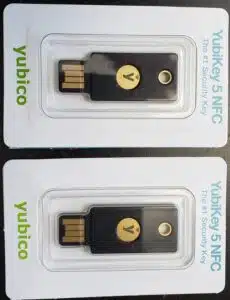
For your exchange accounts, you should add another layer by using a hardware security key (like a YubiKey) for 2FA, creating another layer of security around your funds.
Adding Layers of Security: Hierarchy of 2FA
It is never a bad idea to increase your security with multiple layers of protection.
You can help increase your security by using multi-factor authentication (MFA or 2FA), which requires you to verify your identity in more than one way.
However, not all 2FA is created equal…
Here is a hierarchy from weakest to strongest:
* SMS-Based 2FA: This is when a service sends a code to your phone via text message. It is better than nothing, but it is vulnerable to SIM-swapping attacks, where a hacker tricks your mobile carrier into transferring your phone number to their device.
* Authenticator App 2FA: This is a much more secure method. Apps like Authy, or Google Authenticator generate time-based codes on your device. Since the code isn’t sent over a network, it can’t be intercepted in a SIM-swap attack.
* Hardware Security Key 2FA: This is the gold standard. A physical key (like a YubiKey) uses a cryptographic handshake to prove your identity. It is immune to phishing and interception attacks because the key must be physically present and touched to approve a login. This is the strongest protection available for your online accounts.
Putting It All Together
Until the full rollout of Web3, the need for maintaining control over your passwords is of paramount importance to function online today.
In order to keep your passwords as strong as possible, be sure not to reuse them across multiple sites.
Use a password manager to generate and store unique, complex passwords for every service.
For your cryptocurrency, use a hardware wallet for self-custody and a hardware security key for exchange access.
Finally, be sure to use multiple layers of security, prioritizing an authenticator app or… better yet… a hardware security key over SMS-based 2FA.
You can find all of my recommended suggestions to increase your layers of security on the My Toolbox Page.
At the end of the day… your security is your responsibility!

